Sync AI Chats Directly to Notion
Notion sync is different from file export — your AI conversation is pushed directly to your Notion workspace. No download, no import step. Content appears as structured Notion blocks, ready to organize.
How to Sync to Notion
Syncing a conversation:
- Open your AI chat
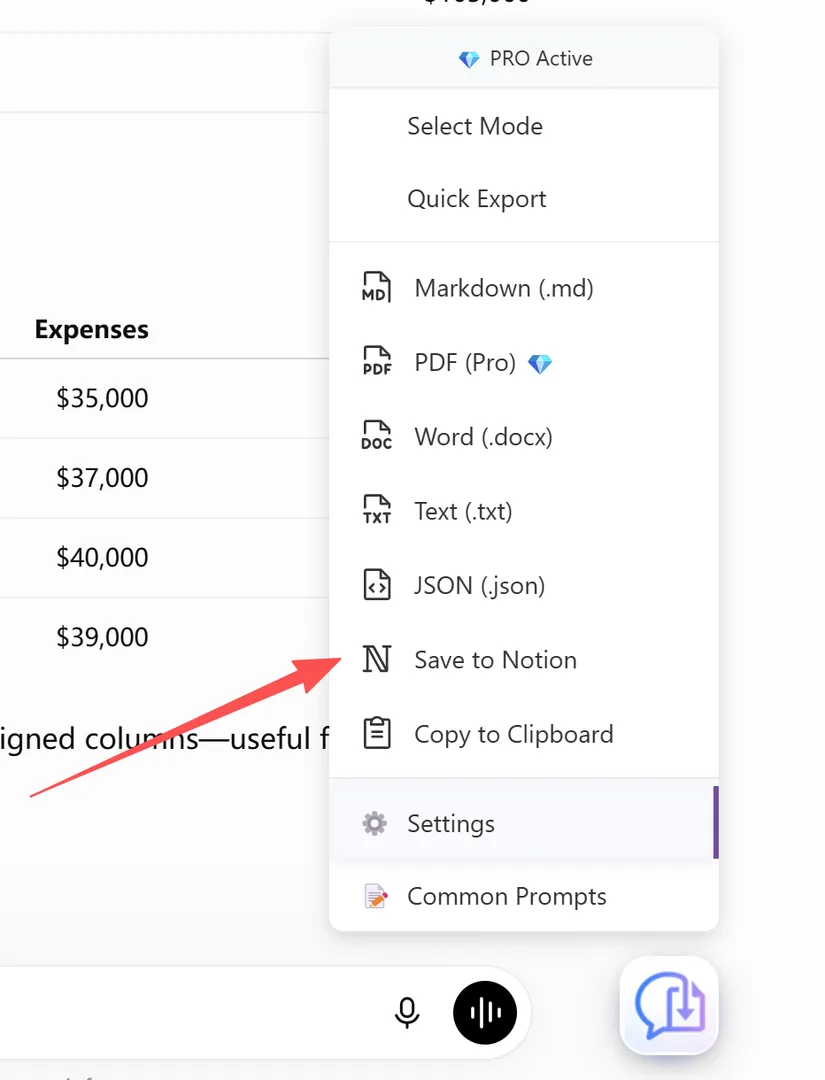
- Click the XWX floating button (FAB)
- Select Save to Notion from the format menu
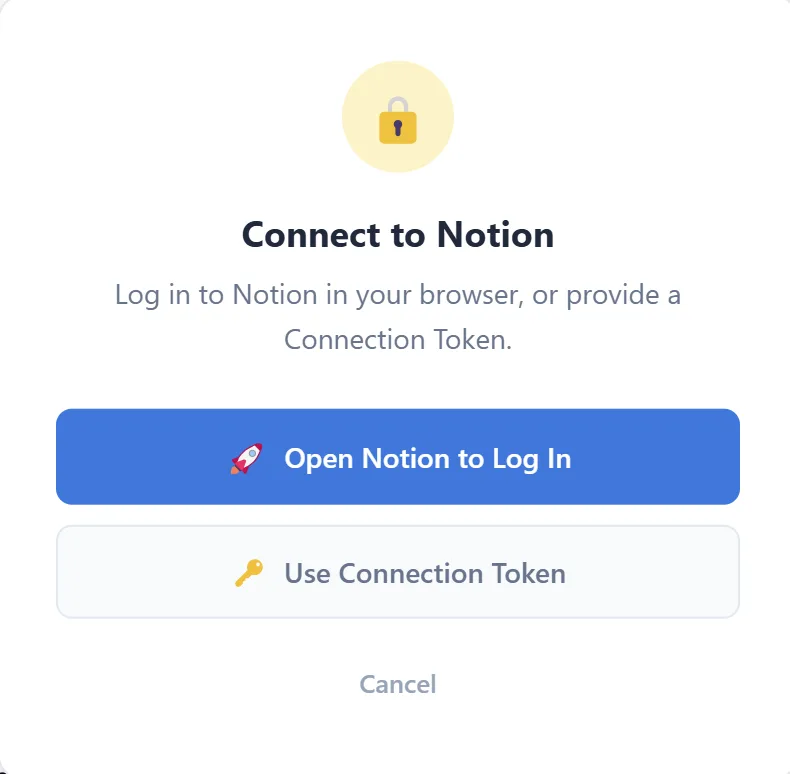
- The first time you sync, a Connect to Notion dialog appears — choose how to connect:
- Open Notion to Log In — opens the Notion login page in a new tab; after logging in, run the export again - Use Connection Token — create an integration at notion.so/my-integrations and paste its token
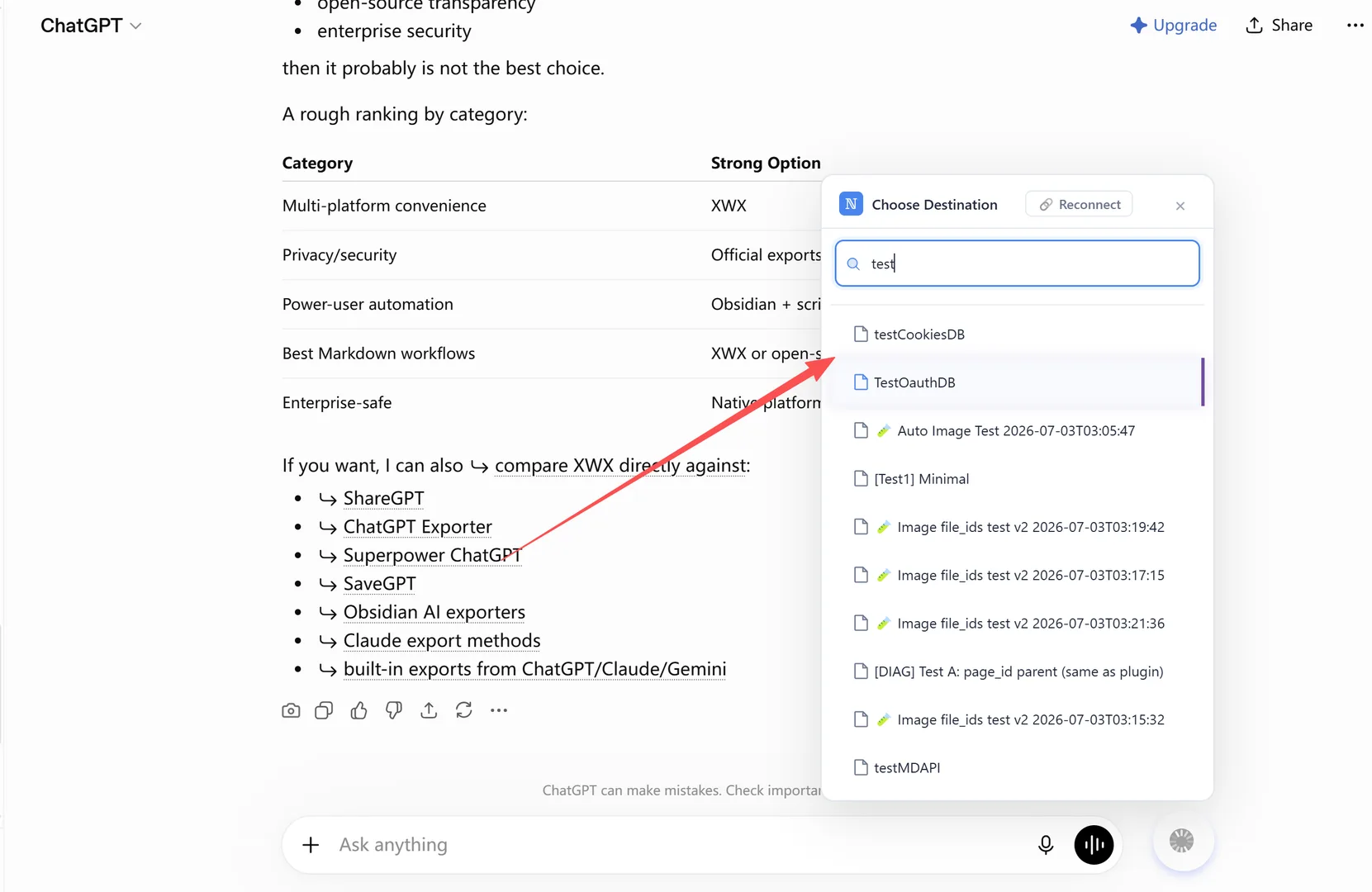
- In the Choose Destination dialog, pick the page or database where the conversation should be saved
- The conversation is pushed to your Notion workspace instantly
There is no separate setup screen — the connection is established right from the export menu the first time you sync.
How Content is Structured in Notion
Each synced conversation becomes a Notion page with:
- Title: Auto-generated from the conversation title
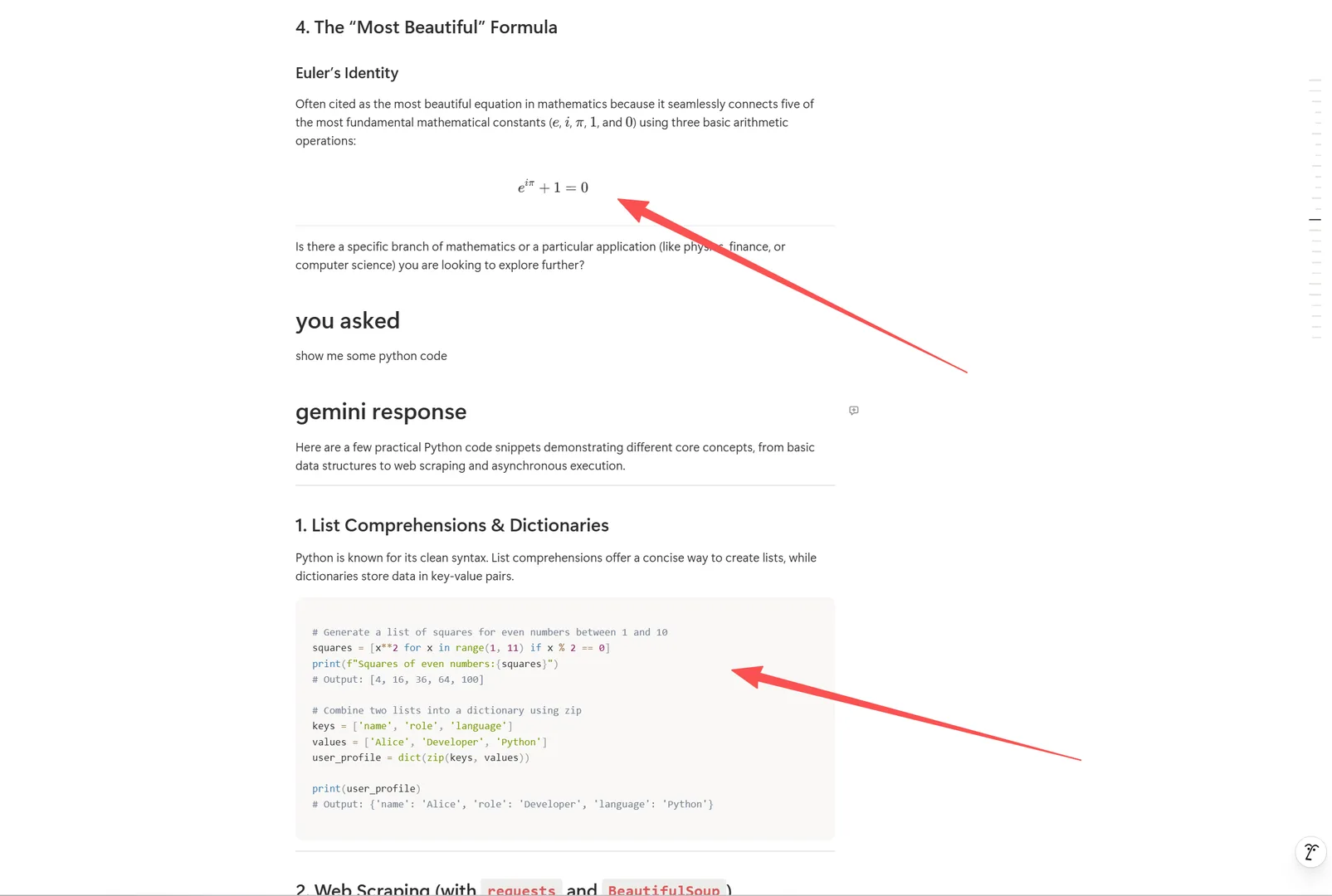
- Headings: Mapped to Notion heading blocks (H1, H2, H3)
- Paragraphs: Standard text blocks
- Lists: Bulleted and numbered lists, including nested items
- Blockquotes: Notion quote blocks
- Code blocks: Notion code blocks with language labels
- Tables: Notion tables
- Images: Embedded directly in the page
- Dividers: Horizontal rules become Notion dividers
Notion supports only three heading levels — headings H4 to H6 are automatically converted to bold paragraphs so nothing is lost.
Organizing Synced Conversations
Because each conversation is saved as a page under the destination you choose, a tidy workspace starts with where you save things:
- By platform: Create separate pages for ChatGPT, Claude, Gemini exports
- By topic: Group related conversations under topic-specific pages
- By project: Keep a dedicated page per project and save conversations beneath it
- By date: Let Notion sort pages by their created time
Frequently Asked Questions
Do I need a Notion API key?+
No. When you select **Save to Notion** for the first time, a **Connect to Notion** dialog appears — log in to Notion in your browser, or use an integration token created at notion.so/my-integrations.
Does it work with all AI platforms?+
Yes. Notion sync works with all 13 supported AI chat platforms.
Is Notion sync free?+
Yes, Notion sync is completely free. No Pro subscription required.