Automatic AI Chat Backup
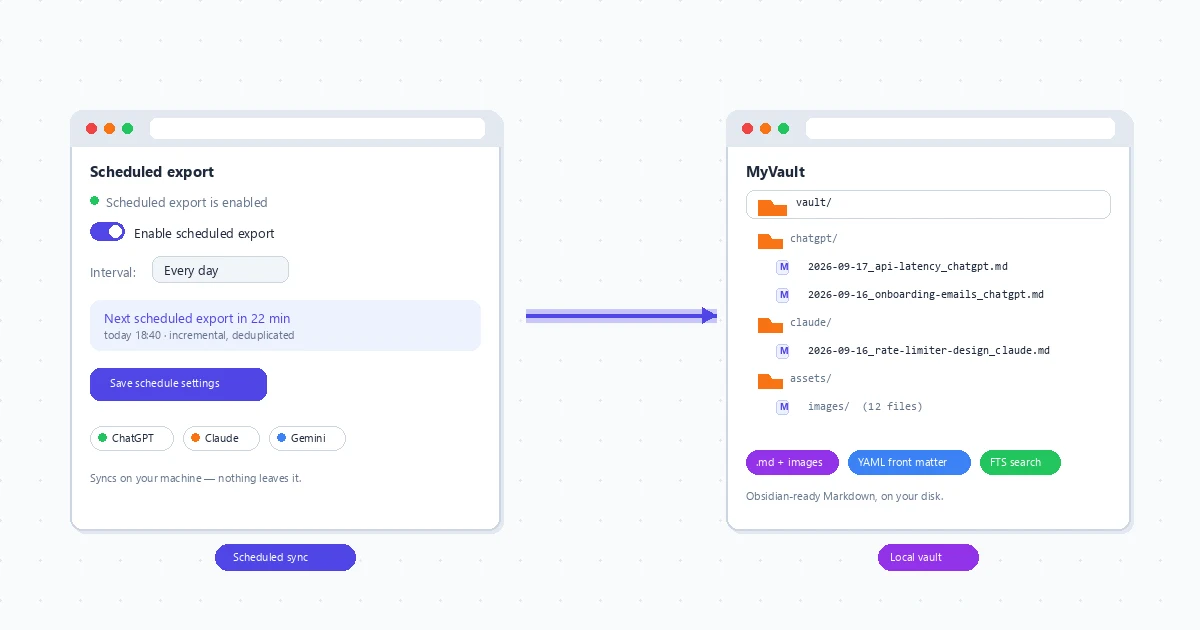
Set a schedule and every new AI conversation lands in a local archive on your own computer — Markdown with images, content-hash dedup, full-text search, optional Obsidian sync. No cloud ever holds your history.
Why Automatic Backup Beats Manual Exporting
One-click export is great — until the day you forget. Accounts get locked, chats vanish with no undo, workspaces get wiped by policy changes, and provider-side history was never a backup. An automatic local archive turns all of that into a non-event: if yesterday’s conversations are already on your disk, nothing downstream is an emergency.
Scheduled sync
Every 30 minutes to daily, your choice. New and changed conversations are pulled automatically — no manual export ritual to remember.
Incremental, never duplicated
Each run compares content hashes, so a 900-message thread is archived once rather than re-saved every time. Small footprint, clean folders.
Local-first by design
Files land in a folder you choose, and extension-to-app transfers run only over your own machine (localhost / Native Messaging). No cloud storage of chats.
Find any old answer instantly
The whole archive is indexed for full-text search — misspellings tolerated, matches highlighted. The answer you wrote last March is one query away.
Obsidian-ready output
Sync the archive straight into your vault: Markdown with YAML front matter (platform, model, date), ready for backlinks and Dataview.
Platform-proof history
Account downgraded, product sunset, sidebar wiped — files you already hold keep opening. Your archive is independent of any provider.
How Automatic Backup Works
Install the free browser extension
Add XWX AI Chat Exporter in Chrome or Edge. One-click exports of single conversations work from day one.

Install and pair the desktop app
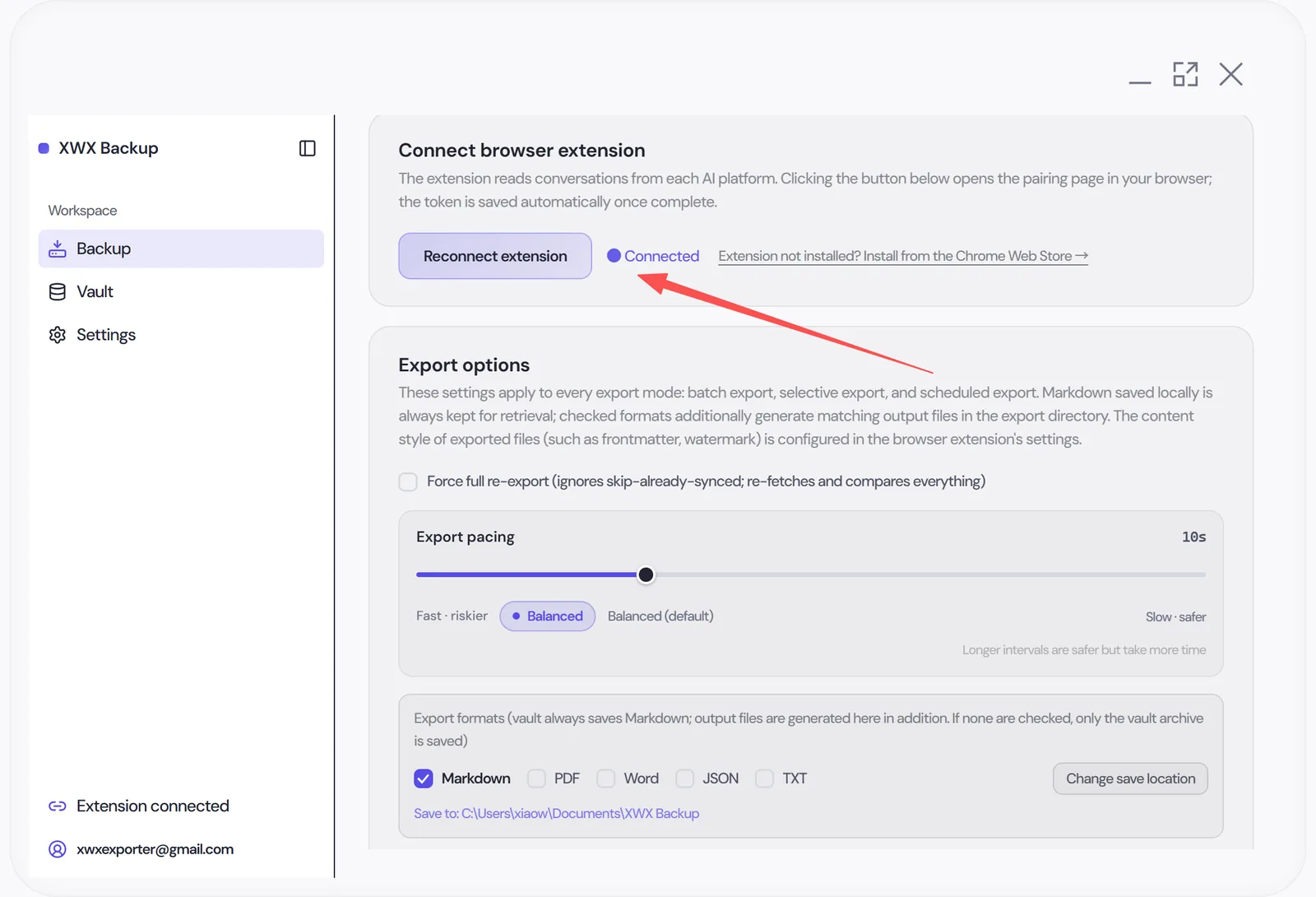
Get XWX Backup for Windows and connect it to the extension — pairing happens on your own machine, and the Native Messaging permission is requested only when you enable sync.
Archive your whole history once
The first run lists your conversations — 11 platforms, across multiple accounts — and saves them one by one with visible progress and failure reports that never skip anything silently.

Switch on the schedule
Pick an interval (every 30 minutes to daily) and a limit per run; optionally point the archive at your Obsidian vault. Missed windows are picked up at the next run.

Who Needs an Archive That Runs Itself?
Researchers
Literature-review threads and dataset discussions that must survive an institution email change or an expiring student account.
Legal & compliance
Dated, readable records of the conversations behind a decision or deliverable — without trusting provider logs that expire.
PKM builders
Your vault is the source of truth. AI chats flow into it automatically instead of living through copy-paste guilt.
Business & Enterprise teams
ChatGPT workspaces that have no official data export at all — a scheduled local archive is the practical safety net.
Writers & consultants
Client-facing threads kept as dated documents and reusable context, long after the provider’s sidebar churns.
Heavy AI users
Hundreds of conversations nobody can name one by one. Scheduled archiving plus search beats memory.
Not Exporting Harder — Automating It
Vs. official account exports
OpenAI’s export covers personal accounts only, can take days, and arrives as raw JSON missing everything you deleted. A scheduled archive is readable, incremental — and already done before you need it.
Vs. manual export days
Memory is not a backup process. Set the schedule once and the ritual never comes up again.
Vs. cloud backup services
Sync providers keep your conversation history inside someone else’s cloud. Here the vault is your disk — the only online hop is the PDF renderer, which deletes content after generating.
FAQ
How do I automatically back up AI conversations?+
Install the free XWX Exporter browser extension, pair the XWX Backup desktop app (Windows), and enable scheduled sync — new and changed chats are archived to a local folder automatically, on an interval from every 30 minutes to daily.
Does automatic backup store my chats in a cloud?+
No. The archive lives in a folder on your computer, and extension-to-app transfers run only over your own machine. No company cloud holds your conversation history.
Which platforms and formats does the archive support?+
Batch and scheduled archiving covers 11 platforms (Google Search AI Mode and NotebookLM support one-click browser export but have no history list to pull). Files default to Markdown, with PDF, Word, JSON, TXT and ZIP packaging available.
Won’t automatic syncing trip platform rate limits?+
Pacing is deliberately conservative: randomized intervals, cooldown breaks and automatic back-off whenever a platform asks to slow down. Failed items are reported, never silently skipped.
Can it recover a chat I already deleted?+
No — honest answer: nothing can restore a deleted chat unless it was already archived. The schedule is what makes the question moot: the chats that matter are already saved.
Does the desktop app need to stay running?+
It performs syncs on its schedule while running on your machine, and picking up missed windows at launch. It is built to sit quietly in the background, not to be babysat.
Is scheduled backup free?+
The browser extension is free with daily export quotas for PDF, Word and Notion — Markdown, TXT, JSON and clipboard are unlimited. Batch and scheduled archiving is part of XWX Backup Pro; see desktop pricing, backed by a 3-day money-back guarantee.
Related Features
Export ChatGPT Chats to PDF
Learn More →Export Gemini Conversations to PDF
Learn More →Download Claude Chats as PDF
Learn More →Sync AI Chats to Notion
Learn More →Export AI Chats to Obsidian
Learn More →Export AI Chats to Word
Learn More →AI-Generated Tags & Summaries for AI Chats
Learn More →Smart Message Selection with Synced Sidebar
Learn More →Ready to Export Your AI Chats?
Free Chrome extension. No account required. Works on 13 AI platforms.