Structured Metadata — Every Export is a Knowledge Asset
YAML frontmatter transforms your Markdown exports from simple text files into structured, queryable knowledge assets. Each file carries rich metadata that makes it searchable in Obsidian, Notion, and other PKM tools.
What is YAML Frontmatter?
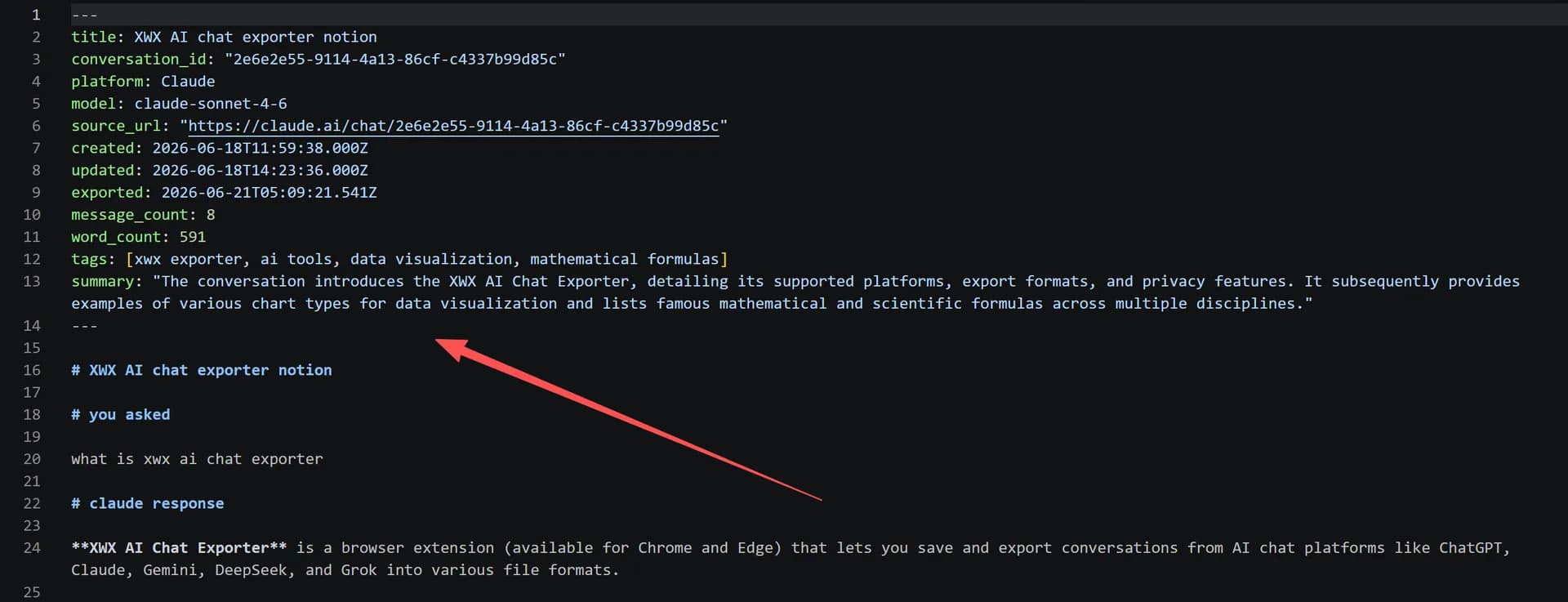
YAML frontmatter is a block of structured metadata at the top of a Markdown file, enclosed between --- markers:
---
title: "Building a REST API with FastAPI"
tags: [python, fastapi, rest-api, backend]
summary: "Step-by-step guide to creating a RESTful API using FastAPI, including authentication and database integration."
model: claude-3.5-sonnet
platform: claude
date: 2024-01-15
word_count: 3420
---
This metadata is invisible in rendered Markdown but readable by tools like Obsidian Dataview, enabling powerful queries across your knowledge base.
Available Fields
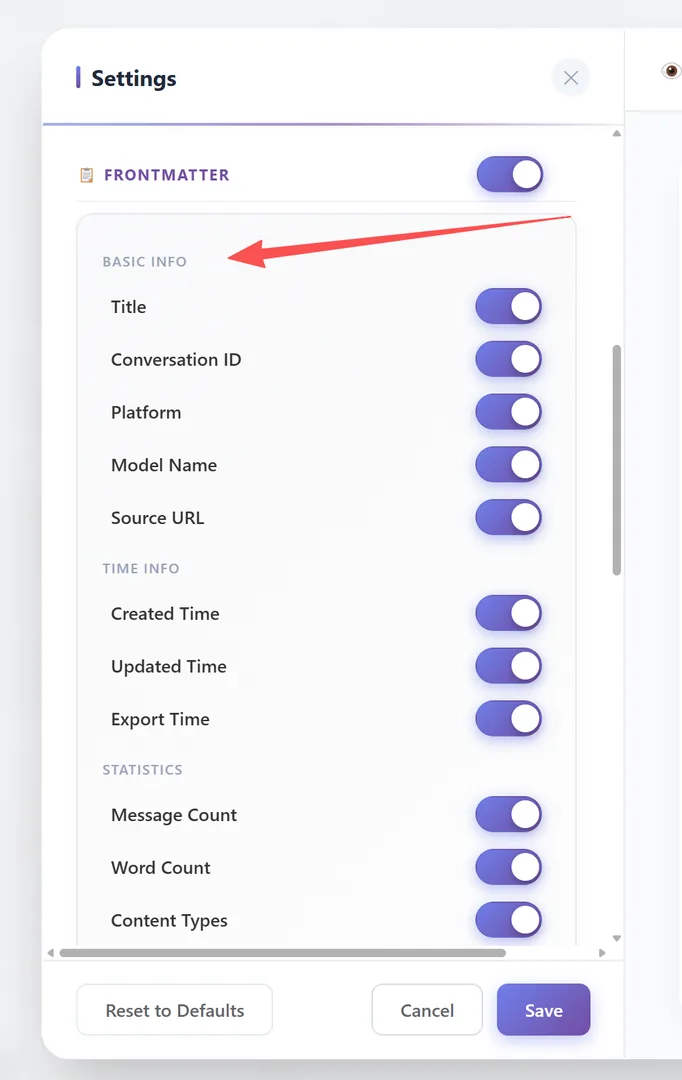
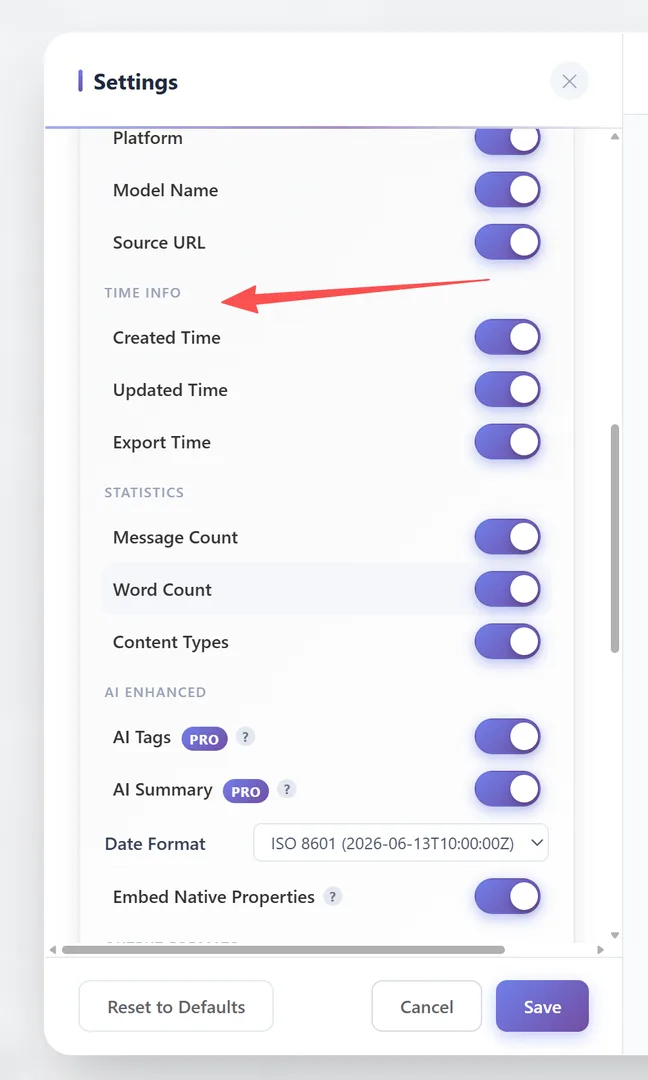
All fields are individually toggleable in Settings → General → Frontmatter:
BASIC INFO:
| Field | Description | Default |
|---|---|---|
| Title | Auto-generated conversation title | ON |
| Conversation ID | Unique identifier for the chat | ON |
| Platform | AI platform name (chatgpt, claude, etc.) | ON |
| Model Name | AI model used (gpt-4, claude-sonnet-4, etc.) | ON |
| Source URL | Link back to the original chat | ON |
TIME INFO:
| Field | Description | Default |
|---|---|---|
| Created Time | When the conversation started | ON |
| Updated Time | When the conversation was last updated | ON |
| Export Time | When the export was performed | ON |
STATISTICS:
| Field | Description | Default |
|---|---|---|
| Message Count | Number of messages in the conversation | ON |
| Word Count | Total word count | ON |
| Content Types | Types of content (code, images, tables, citations) | ON |
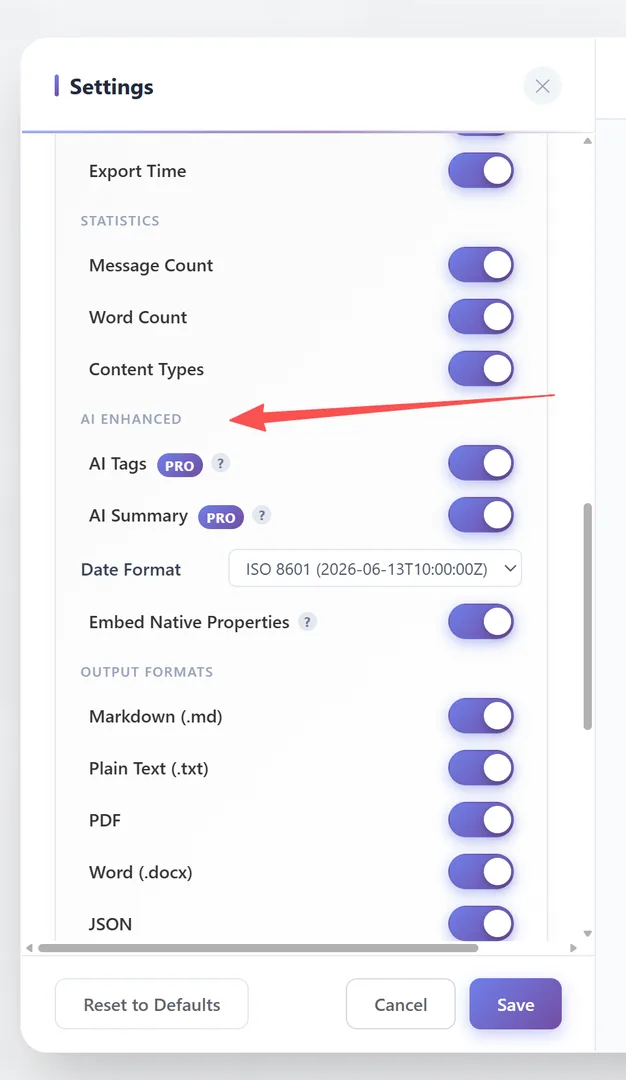
AI ENHANCED:
| Field | Description | Default |
|---|---|---|
| AI Tags | AI-generated topic tags | OFF |
| AI Summary | AI-generated conversation summary | OFF |
FORMAT:
| Field | Description | Default |
|---|---|---|
| Date Format | ISO 8601 / Date Only / Local | ISO 8601 |
| Embed Native Properties | Write to PDF Document Properties / Notion Database Properties | ON |
Output Format per Export Type
The metadata format is automatically determined by the export target — there is no manual format selector:
| Export Format | Metadata Syntax | Notes |
|---|---|---|
| Markdown (.md) | YAML Frontmatter ---\nkey: value\n--- | Industry standard, compatible with Obsidian / Hugo / Jekyll |
| Notion | Inline **Label:** value | Notion does not support YAML frontmatter |
| Plain Text (.txt) | Plain Text Label: value | No special syntax, pure readable text |
| PDF / Word | Visual HTML info block | Rendered as a formatted metadata table in the document header |
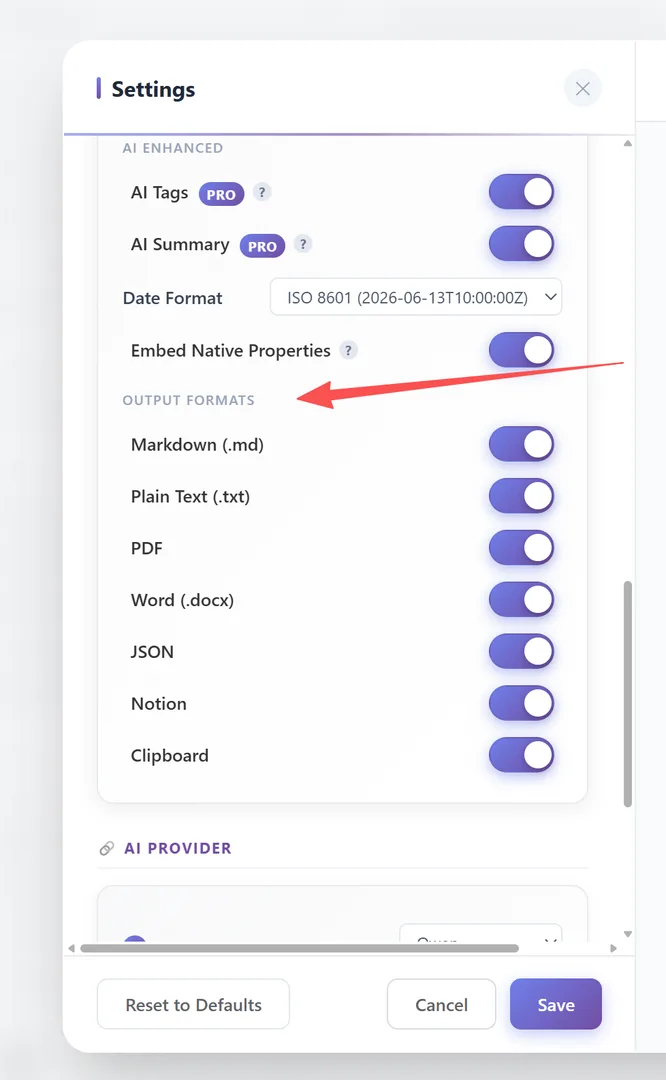
You can use the OUTPUT FORMATS toggles in the Frontmatter settings to enable or disable metadata for each export format (Markdown, TXT, PDF, Word, JSON, Notion, Clipboard) independently.
Enabling YAML Frontmatter
YAML frontmatter is generated when AI Tags & Summaries is enabled:
- Go to Settings → General → 🔗 AI Provider
- Select a provider and enter your API key
- Enable AI Tags & Summaries
- Export to Markdown — frontmatter is included automatically
Without AI Tags enabled, the export still includes basic metadata (date, platform, model) in a minimal frontmatter block.
Frequently Asked Questions
Can I toggle individual frontmatter fields?+
Yes. Every field (title, conversation_id, platform, model, dates, word count, tags, summary, etc.) can be individually toggled on/off in Settings → General → Frontmatter.
What date formats are available?+
Three formats: ISO 8601 (2024-01-15T10:00:00Z), Date Only (2024-01-15), and Local (2024/01/15 10:00).
Does the frontmatter affect how the Markdown renders?+
No. Most Markdown renderers hide frontmatter by default. It's metadata, not visible content.