AI Tags & Summaries — Turn Chats into Knowledge Assets
AI Tags & Summaries automatically generates structured metadata for every conversation you export. Tags categorize content, summaries capture key points, and metadata makes your exports searchable and filterable. You provide the API key — we never see it.
How It Works
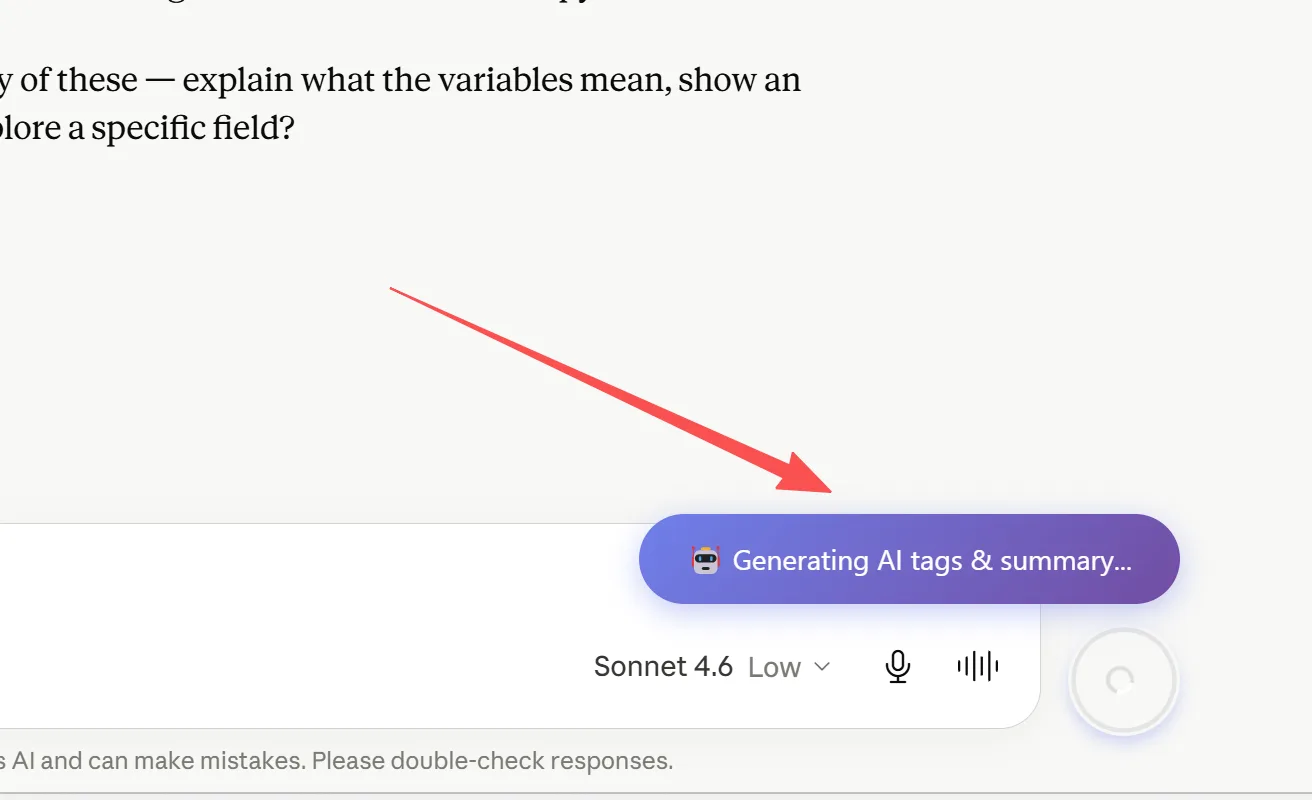
When you export a conversation:
- The extension sends the conversation text to your chosen AI provider
- The AI analyzes the content and generates:
- Tags: 3-7 keywords that categorize the topic - Summary: A 2-3 sentence overview of the conversation
- This metadata is embedded in the exported file (YAML frontmatter for Markdown, properties for Notion)
- Your conversations become searchable, filterable, and organized
All processing uses YOUR API key. We never store or see your key or conversation data.
Supported AI Providers (BYOK)
We support 9 AI providers via Bring Your Own Key (BYOK):
| Provider | Default Model | Notes |
|---|---|---|
| OpenRouter | gemma-4 | Access 100+ models via one key |
| OpenAI | gpt-4o | Best quality tags |
| Anthropic | claude-sonnet-4 | Long context handling |
| Google Gemini | (via API) | Good quality, low cost |
| KIMI | kimi-k2.5 | Moonshot AI |
| Qwen | qwen-plus | Alibaba Cloud |
| Zhipu GLM | glm-5 | Zhipu AI (ChatGLM) |
| DeepSeek | deepseek-v4-flash | Best value |
| MiMo | mimo-v2.5-pro | Xiaomi AI |
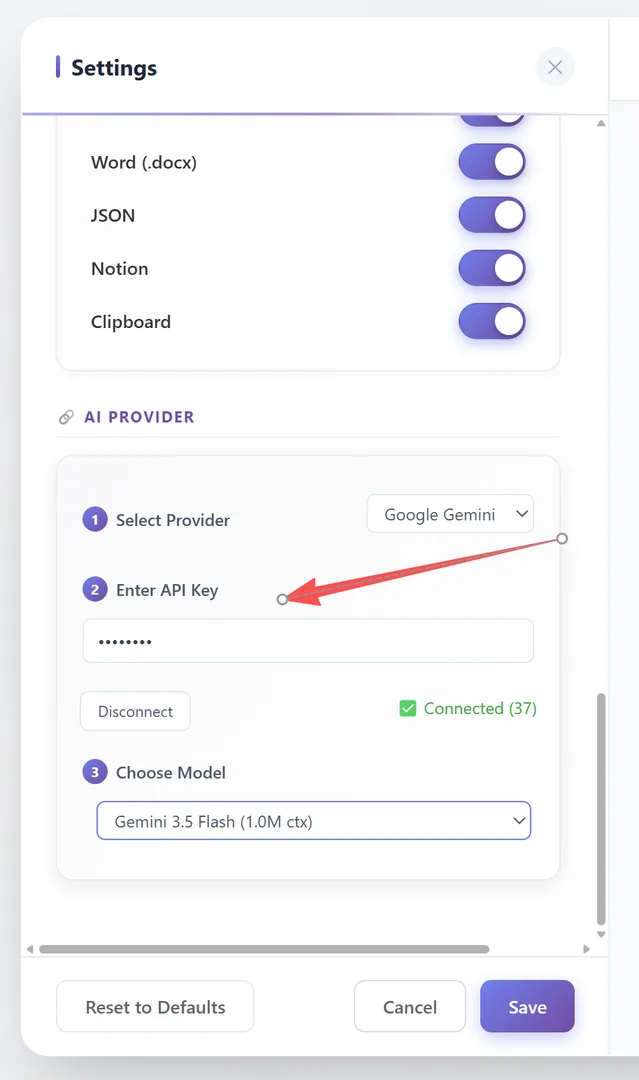
Configure in Settings → General → 🔗 AI Provider (3-step wizard: Select Provider → Enter API Key → Choose Model).
AI Tags and AI Summary are advanced features.
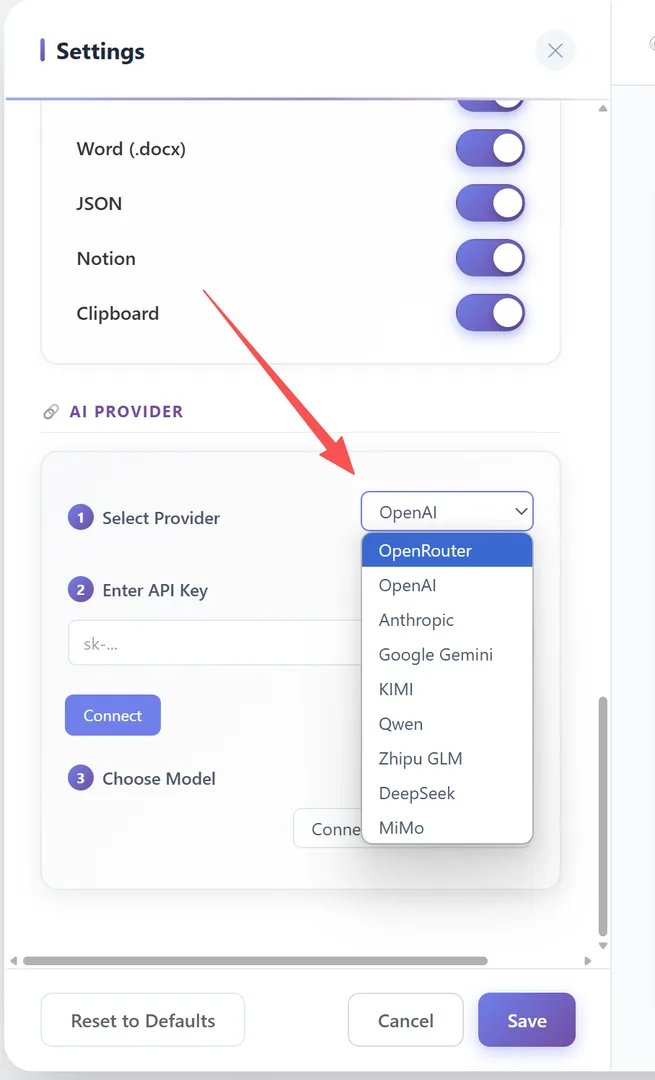
Setting Up AI Tags & Summaries
- Open Settings (FAB menu → Settings, or gear satellite button)
- Go to the General tab
- Scroll to the 🔗 AI Provider group
- Step 1: Select your provider from the dropdown
- Step 2: Enter your API key → Click Connect
- Step 3: Choose a model from the dropdown (populated after connection)
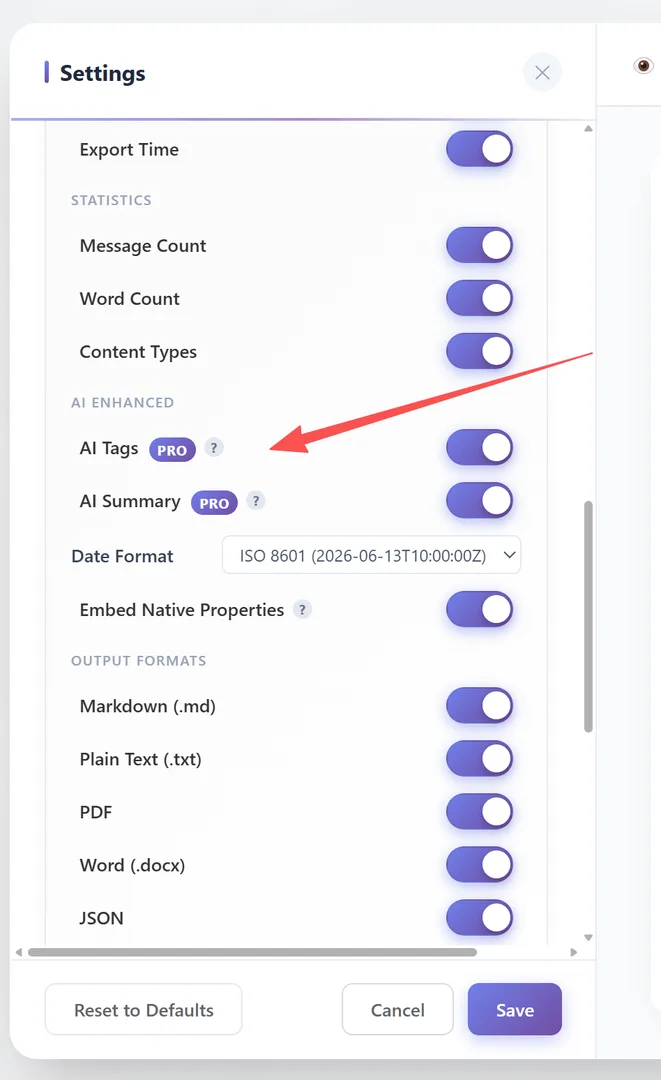
- Scroll to the Frontmatter → AI ENHANCED group
- Toggle AI Tags ON and/or AI Summary ON
AI Tags and AI Summary are advanced features. Your API key is stored locally in your browser only.
What the Output Looks Like
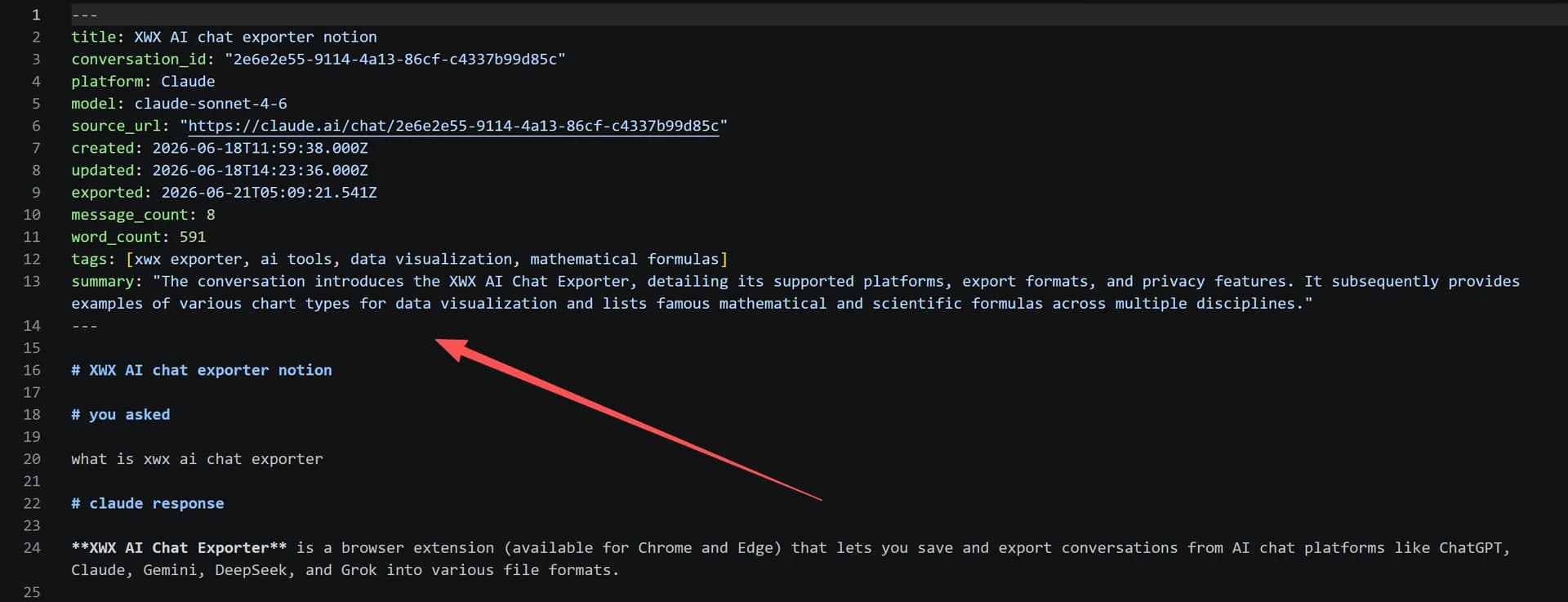
In Markdown exports (as YAML frontmatter):
---
tags: [python, machine-learning, data-analysis]
summary: "Discussion about implementing a neural network..."
---
In Text/Notion exports (as Inline Metadata):
**Tags:** python, machine-learning, data-analysis
**Summary:** Discussion about implementing a neural network...
In JSON exports (as structured fields): The tags and summary are included as top-level JSON fields.
The output format depends on the metaOutputFormat setting:
- YAML Frontmatter — for Markdown (.md)
- Inline Metadata —
**Label:** valueformat (for Notion/TXT) - Plain Text —
Label: valueformat
Privacy & Security
Your privacy is paramount:
- API key: Stored only in your browser's local storage. Never sent to our servers.
- Conversation data: Sent directly from your browser to the AI provider you chose. We are not an intermediary.
- No telemetry: We don't track what you export or tag.
- No data retention: We have no server-side storage of your conversations or metadata.
You are in complete control. Remove your API key anytime from settings.
Frequently Asked Questions
Is my API key safe?+
Your API key is stored only in your browser's local storage. It is never transmitted to our servers. Conversations are sent directly to the AI provider you choose.
Is AI Tags & Summaries free?+
No. Both AI Tags and AI Summary are Pro features. You need the Pro plan and a configured AI Provider API key.
Which provider do you recommend?+
For best value: DeepSeek. For best quality: OpenAI (gpt-4o) or Anthropic (claude-sonnet-4). For model variety: OpenRouter (100+ models).
Can I use a local model?+
Currently, we support 9 cloud-based providers. Local model support (like Ollama) is not available yet.