Deleted ChatGPT Conversations: What Can Actually Be Recovered (2026)
You deleted a ChatGPT conversation — misclick, a tidy-up session that went too far, or "Delete all chats" pressed while clearing someone else’s laptop — and now you need it back. The blunt, sourced answer: OpenAI states that deleted conversations cannot be retrieved through the ChatGPT interface, the API, or Support. There is no recycle bin and no undo. Before you stop reading, though: a surprisingly large share of "deleted" chats were actually archived, misfiled by a workspace change, or lost to a glitch — and those come back in seconds. This guide separates the two situations, kills the recovery-scam question early, and then — because the honest fix is prevention — shows the 5-minute setup that makes a deleted chat a non-event.
Can you recover a deleted ChatGPT conversation? Usually no — with one common exception
OpenAI’s published position, restated in press coverage as recently as September 2026, is unambiguous:
- A conversation you delete is removed from your view immediately and scheduled for deletion from OpenAI’s systems, normally within about 30 days. Users cannot retrieve deleted conversations through the interface, the API, or Support — and "Delete all chats" follows the same rule.
- The 30-day server-side window is not a recovery path for you: it exists for legal and security obligations (and can be extended by court orders), and no customer-facing tool reads from it.
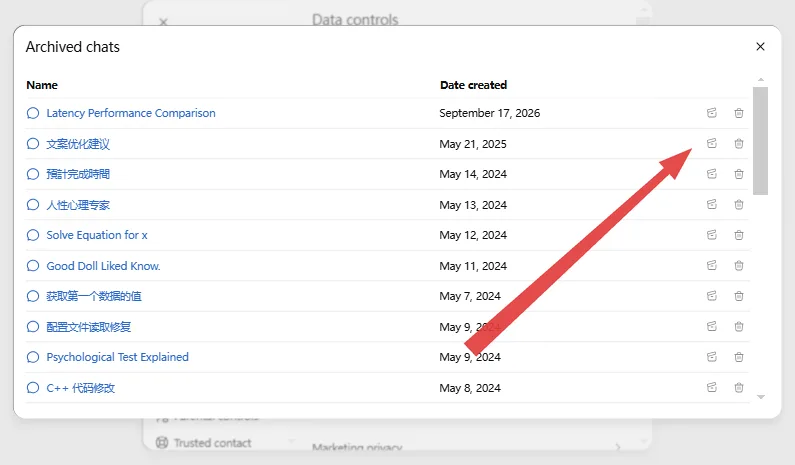
- The exception: a chat that looks deleted may only be archived. Archived chats keep their full content and can be unarchived. OpenAI’s own guidance is to check archived chats first when history seems incomplete.
So the first two minutes of "recovery" are really a triage: figure out which of the two you are dealing with.
Step 1 — Check whether the chat is archived, missing, or really deleted
Work down this list in order; the top three restore chats instantly.
- Archived chats. ChatGPT → Settings → Data controls → Manage next to Archived chats. If the conversation is in that list, click Unarchive and it reappears in your sidebar.
- Wrong account or workspace. Multi-account users (personal vs. Team, or a second Google-login workspace) regularly delete or "lose" chats in the wrong context. Click your profile and walk every account and /u/ workspace you own.
- Glitch, not deletion. Sidebar history loads lazily and has famously gone blank or truncated during incidents. Refresh, log out and back in, try another browser — and check OpenAI’s status page for a current incident.
- Temporary Chat or an anonymous tab. Those conversations were never written to your account, so they can’t be missing — and once the session is gone, there is nothing for OpenAI to delete or you to recover. If you are reading this after closing a temp chat, skip to the prevention section below; this guide’s share-link trick in our save-without-account article is about saving them before the tab closes.
- Nothing on the list fits. Then it was a true deletion, and no interface action will bring it back. Keep reading anyway — the next section saves you from a worse loss.
Step 2 — The recovery methods that do not exist (save your money)
| Claim you may see | Reality |
|---|---|
| "Contact support, they can restore it" | OpenAI explicitly says deleted chats cannot be retrieved via interface, API or Support |
| "Download your data export — it’s in there" | The Settings → Export data ZIP contains what still exists on your account; deleted conversations are excluded |
| "Recover from browser cache / history" | The cache holds page assets, not conversation content |
| Paid "AI chat recovery" services | No legitimate method exists; treat any offer as a scam |
| Server-side 30-day retention = time to recover | That window is OpenAI’s compliance obligation, not user-accessible storage |
Accepting this early is unpleasant but cheap. The expensive version is spending weeks on false hope while every remaining conversation stays unprotected.
Step 3 — The 5-minute setup that makes "deleted" a non-event
Everything above is triage. The real fix is an archive that grows by itself, so the question shifts from can I recover it? to what do you mean it’s gone — here’s my copy:
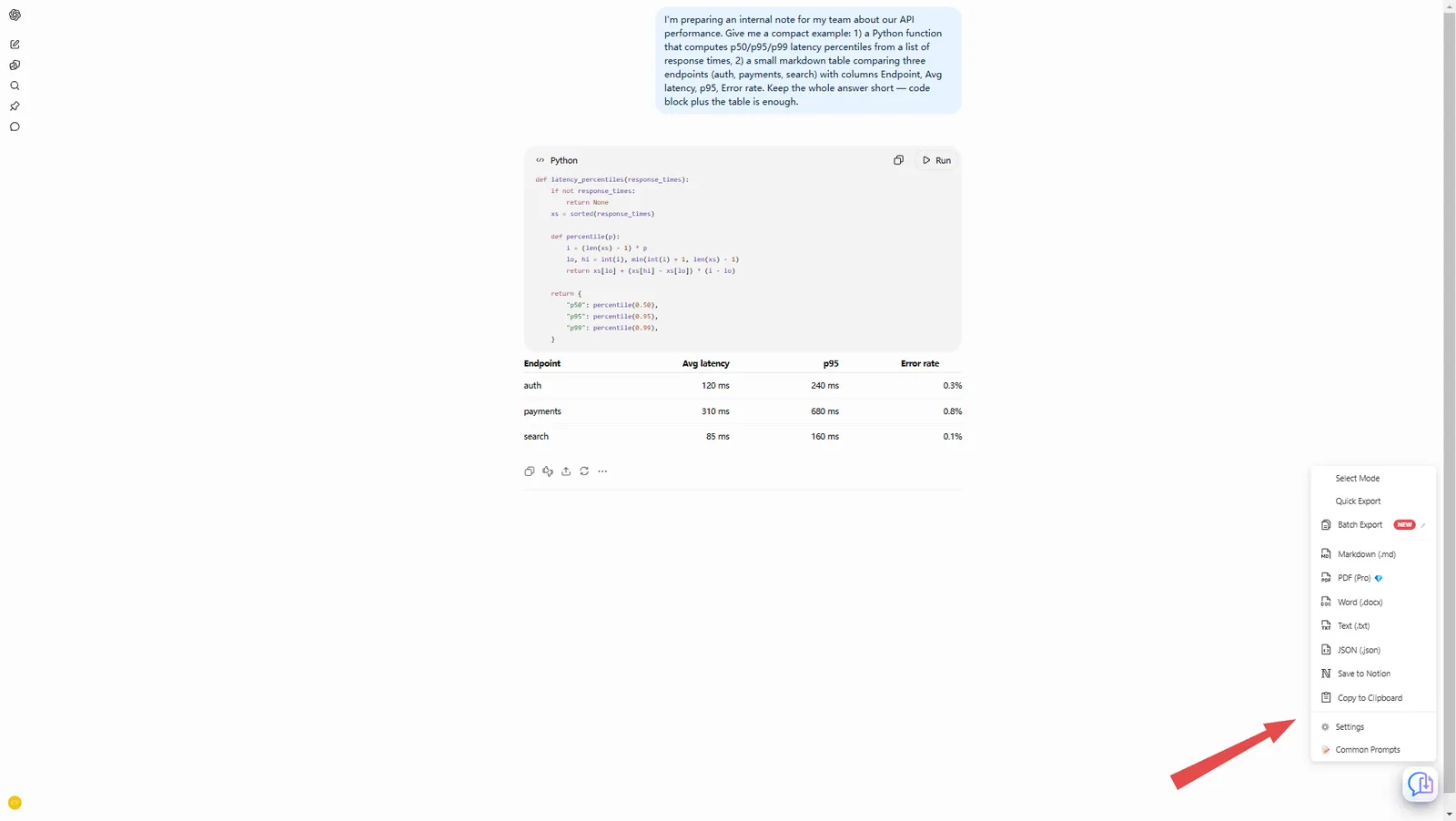
- Save the chats that matter, the moment they matter. With the free XWX Exporter extension, any open ChatGPT conversation is one click from a formatted PDF, Word or Markdown file — sidebar button → choose format → done. No login to any service required for Markdown, TXT or JSON.
- Keep history on. Settings → Data controls → Chat history must stay enabled if you want chats in your account at all (Temporary Chats are opt-out by design).
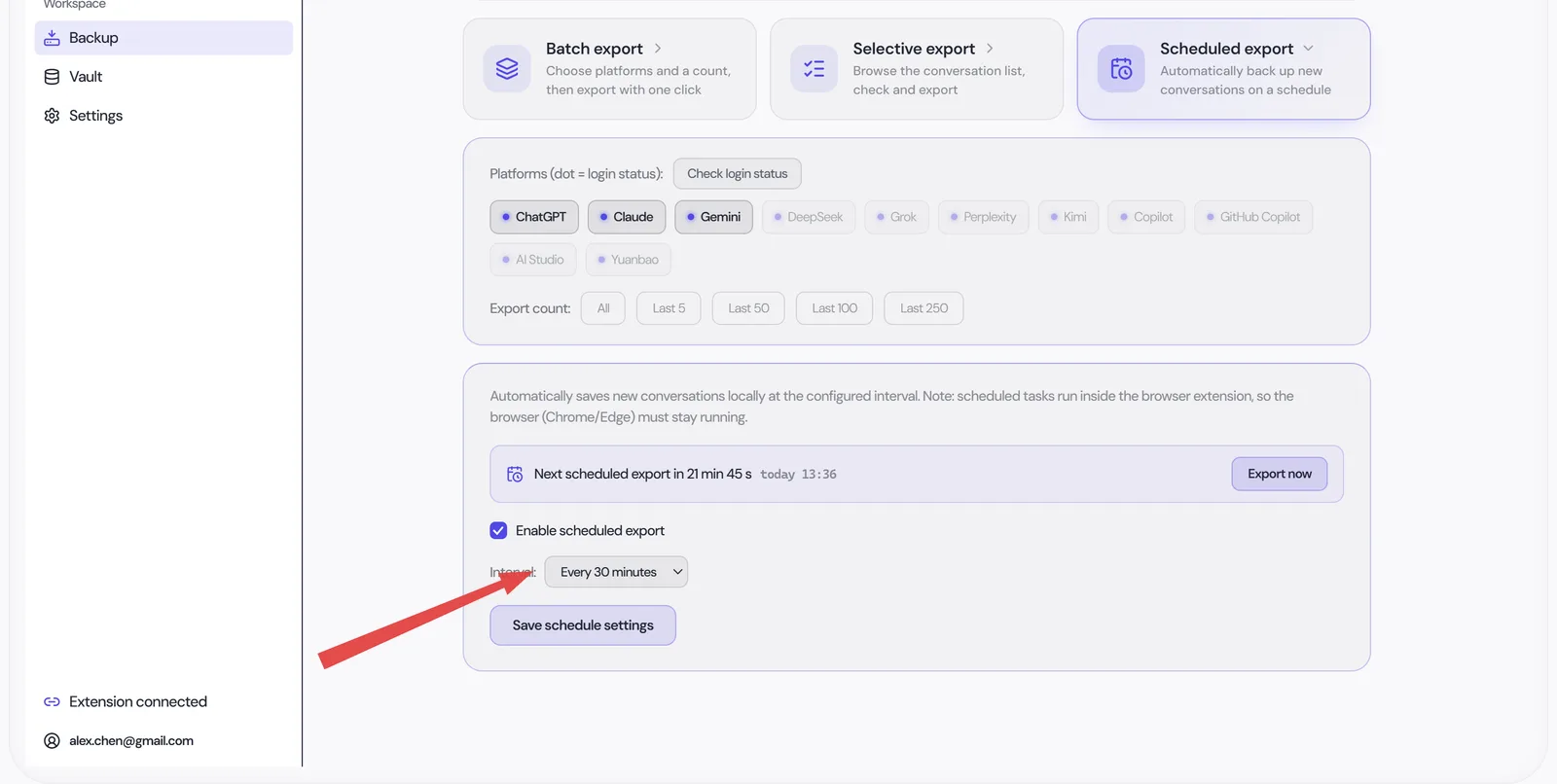
- Archive everything else automatically. XWX Backup on your desktop syncs your full conversation list into a local folder on a schedule you pick (every 30 minutes to daily), storing Markdown with images, skipping unchanged chats via content-hash dedup. Missed windows simply run at the next interval. One locked account, one wiped sidebar, one departing teammate — none of them can touch files that already sit on your disk.
Step 4 — A backup you can’t search is just a bigger landfill
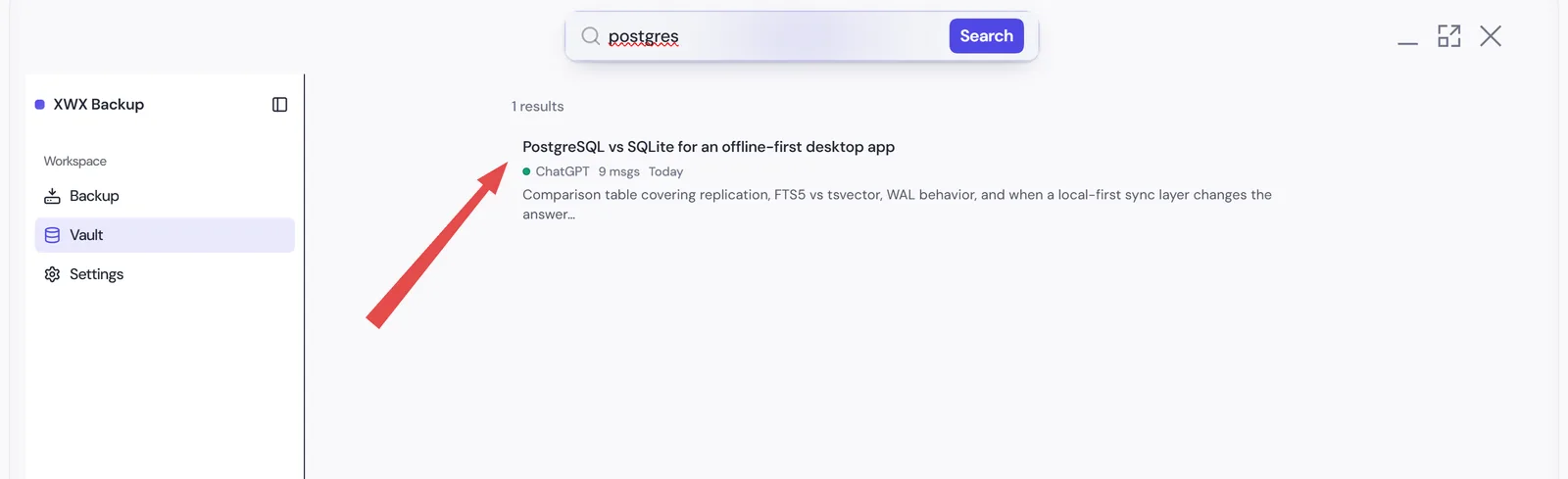
The point of archiving isn’t insurance paperwork — it’s remembering. The desktop archive is fully indexed: type a phrase from a three-month-old answer and every matching conversation surfaces, highlighted, with a jump to the file. Star the keepers, tag by project, and if you live in Obsidian or Notion, the same archive syncs into your vault with YAML front matter (platform, model, date) so old conversations behave like notes, not attachments. "Recovering a deleted chat" and "finding the good answer you wrote last winter" become the same search box.
Frequently Asked Questions
Can deleted ChatGPT conversations be recovered?+
No — OpenAI states deleted chats cannot be retrieved through the interface, the API, or Support, and "Delete all chats" is irreversible. The one good-news exception: chats that only got *archived* are fully restorable from Settings → Data controls → Manage archived chats. Check that before you accept the loss.
Does OpenAI keep deleted chats for 30 days — can they restore me in that window?+
Deleted conversations may remain on OpenAI servers for roughly 30 days under its retention policy, but that window exists for legal and security obligations and is not a user-accessible backup. No customer-facing tool or support process restores from it, so plan as if deletion were instant and permanent.
Will my data export (the ZIP from Settings) include deleted conversations?+
No. The account data export contains the conversations that still exist on your account at request time — and it can take up to 7 days to arrive, with the download link expiring 24 hours later. Treat it as a snapshot of the living history, never a recovery channel for deleted chats.
How do I make sure I never need "chat recovery" again?+
Two layers: one-click exports of chats that matter (PDF/Word/Markdown, free browser extension), plus a scheduled local archive of everything via the desktop app — Markdown with images, incremental, on your own disk. Both tools keep working for users whose account later gets locked, downgraded or deleted.