How to Export Chats from Multiple AI Accounts in One Run
Plenty of people live in two AI accounts at once: a work Gemini Workspace profile and a personal one, or two Claude organizations for different clients. Every platform makes you switch accounts to see each history — and every export guide silently assumes you only have one. Multi-account users end up exporting account by account, over and over, or accepting that half their conversation history is effectively unfindable. This guide shows how to enumerate every account’s conversations, merge them into one queue, and export the lot in a single run.
Why multiple accounts break your history
Platform histories are siloed per account, and switching accounts is where conversations go to die:
- You cannot search across accounts. “That discussion about the pricing model” could be in either workspace — so you search both. Twice.
- Exports fragment. Even a perfect export tool usually sees only the currently-active account, so your archive quietly becomes half an archive.
- Organization accounts compound it. Claude organizations and Google Workspace profiles multiply the number of histories you are expected to babysit.
The fix is not discipline. It is making the export step see all accounts at once.
How multi-account enumeration works
XWX Backup, the desktop companion to the XWX Exporter extension, reads conversation lists through your logged-in browser sessions — and since v3.0.0 it enumerates every logged-in account on the platforms that support it:
- Gemini — each Google profile you are signed into in the browser appears in the platform list, side by side
- Google AI Studio — same treatment for workspace vs personal usage
- Claude — every organization you belong to gets its own entry
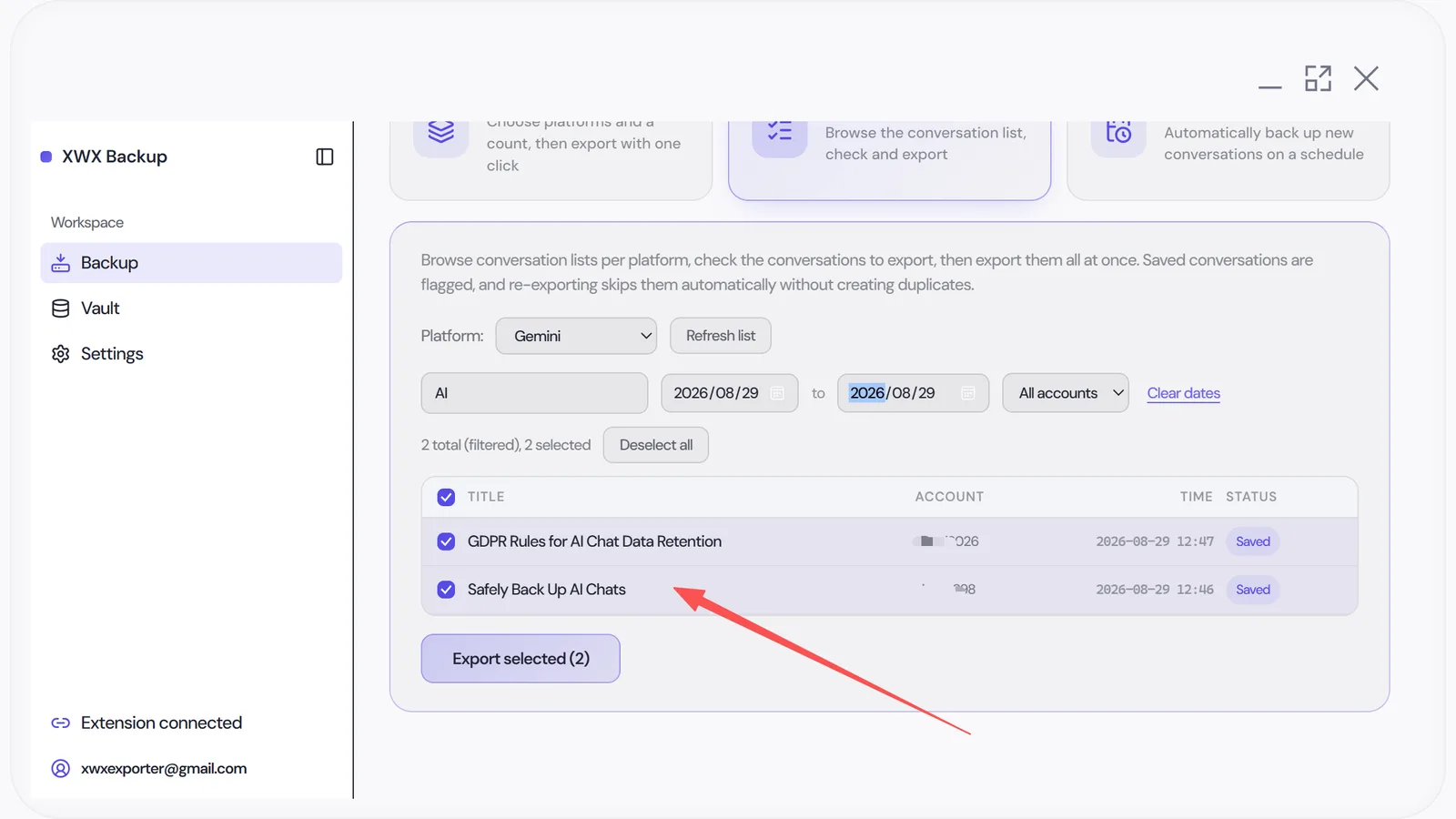
You tick the accounts you want (or all of them). The app merges their recent conversations into a single queue, applies your count limit across the merged list, and exports everything in one run. Already-saved conversations are skipped automatically, so re-running never creates duplicates.
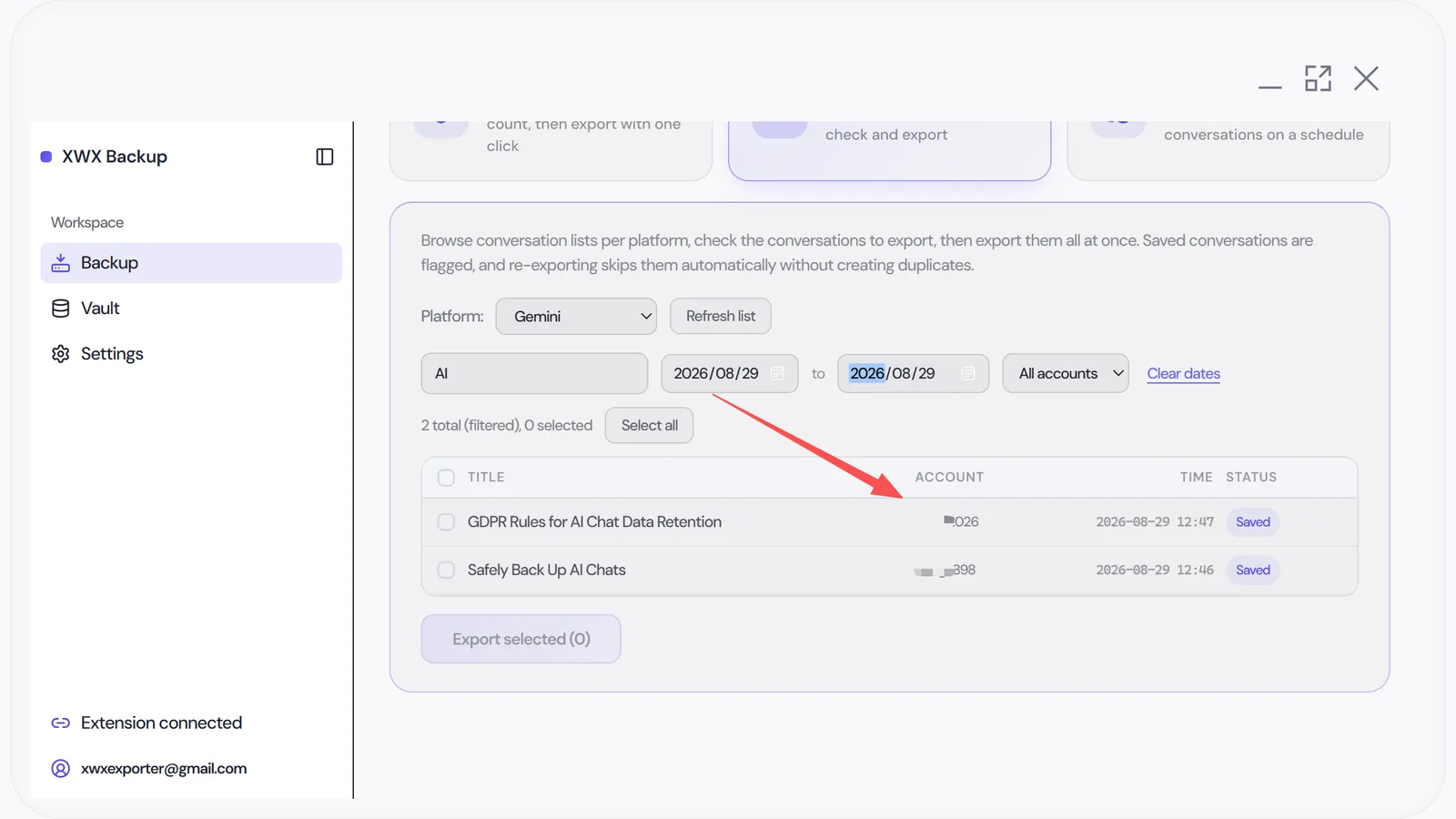
Walkthrough: merging two Gemini accounts into one vault
Step 1 — Sign both profiles into the browser. Nothing special is required on Google’s side; the enumeration simply follows what your browser can already see.
Step 2 — Select platforms and accounts. In the Backup page, pick Gemini; both profiles appear as selectable entries with their conversation counts.
Step 3 — Set a count limit and run. The limit applies to the merged list across selected accounts, so a limit of 50 might take 30 conversations from your work profile and 20 from your personal one, newest first.
Step 4 — Search across everything. Once the run completes, full-text search queries both histories at once — which is rather the point.
Account safety still applies — more than ever
Reading two accounts does not mean running twice as fast. The desktop app keeps one conservative pacing profile across the whole queue:
- Randomized intervals around ~6 seconds per conversation
- Cooldown breaks after every 100 items
- Back-off on rate-limit responses, per platform
- Platforms owned by the same company are never operated in parallel — your two Gemini profiles are read sequentially, never simultaneously
If anything feels off mid-run, pause; completed items are remembered and resuming skips them.
Frequently Asked Questions
Do I need separate browser windows for each account?+
No. If all accounts are signed into the same browser profile, they appear side by side in the platform list. That is how the enumeration detects them — through your existing logged-in sessions.
Which platforms support multi-account export?+
Multi-account enumeration is available for Gemini, Google AI Studio, and Claude organizations as of v3.0.0. Other supported platforms export from their currently-active account.
Can I tell which account a conversation came from?+
Yes. Each exported file’s YAML frontmatter records the source, so vault search results show which profile or organization a conversation belongs to.
Can I combine accounts from different platforms in a single export?+
Yes. Tick any combination of accounts and platforms, and the app merges their recent conversations into one queue, applying your count limit across the merged list. Already-saved conversations are skipped either way, so nothing duplicates.
Export Your AI Chats
Free Chrome extension. No account required. Works on 13 AI platforms.