How to Export ChatGPT Business & Enterprise Conversations (There Is No Official Button)
If your team moved to ChatGPT Business or Enterprise, you may have gone looking for Settings → Data controls → Export data — the button personal-account users know — and found it missing. That… is not a glitch. As of September 2026, OpenAI’s own help page lists the standard data export as available for Free, Go, Plus, Pro and eligible Edu accounts, and explicitly not available for ChatGPT Business, Enterprise, or ChatGPT for Healthcare workspaces. Tech press coverage has called it what it is: teams that want their conversation history need a different tool. That matters more than it sounds, because workspace chats are exactly the ones with real-world value: client deliverables, audit trails, decisions, internal knowledge. This guide walks through every working method — from a 10-second single-chat export to a scheduled archive of your whole workspace history — and where each one stops.
The short answer: Business and Enterprise have no export button
Here is what OpenAI’s help center says, as of September 2026:
- The in-app data export covers eligible signed-in personal accounts: Free, Go, Plus, Pro and some Edu workspaces.
- It is not available for Business, Enterprise, or Healthcare workspaces — and OpenAI publishes no timeline for changing that.
- Enterprise admins can access conversation logs through the Compliance Platform, but that is an admin surveillance tool with 30-day retention unless the organization archives logs elsewhere — not an "export my project" button.
So a workspace member who wants the actual conversations — to finish a report, answer a regulator, or simply keep a year of accumulated thinking — has no self-service option inside the product. July 2026 coverage in the tech press described the same gap and the DIY scripts people had started using to fill it.
Five situations where the missing export hurts
Workspace conversations are rarely archived for fun. The recurring scenarios:
- Leaving a role or a client project. Your best work product — strategy threads, research dialogues, drafted material — lives in a sidebar you will lose on your last day.
- Vendor change. Switching plans, merging workspaces, or moving to another AI provider: conversation history does not move with you.
- Compliance and record-keeping. Regulated teams (financial services under SEC 17a-4, healthcare, public sector) must retain business records — "the AI tool doesn’t offer export" is not an accepted reason in an audit.
- Client deliverables. Agencies and consultants need conversations as clean PDF or Word documents, not JSON fragments.
- Team knowledge. Recurring prompts, proven workflows, and decisions-in-context only compound if someone archives them into a shared knowledge base.
Every method that exists, honestly compared
| Method | What you get | Limits |
|---|---|---|
| OpenAI data export (Settings) | Full account ZIP, JSON | Not available for Business/Enterprise/Healthcare (as of 2026-09) |
| Admin Compliance Platform logs | Raw conversation logs | Enterprise admins only; 30-day retention unless archived |
| Copy-paste per chat | Text | Formatting, code blocks, tables and images lost; one chat at a time |
| DIY scraping scripts (open source) | Raw HTML/JSON archive of accessible chats | Free, technical, single-user, no formatting or scheduling — stopgap |
| Browser extension (XWX Exporter) | Per-conversation PDF, Word, Markdown, JSON from the page you are signed into | Runs while you are logged in; per-chat at the point of use |
| Desktop app + scheduled sync (XWX Backup) | Bulk archive of chat history to your machine, incremental, on a schedule | The app must be running at the scheduled time; exports what your account can see |
The pattern: nothing replaces the missing official button wholesale, but the combination of extension (one-click at the moment it matters) and desktop scheduler (a growing local archive) covers the use cases people actually cite — deliverables, retention, and safekeeping.
Method 1: export a single conversation as PDF, Word or Markdown
For deliverables and one-off saves, the browser extension works on any ChatGPT page you are signed into — personal, Team, Business or Enterprise workspaces included, because it reads the conversation open in your browser.
- Install XWX Exporter from the Chrome Web Store or Microsoft Edge Add-ons (it also works in Brave, Arc and other Chromium browsers).
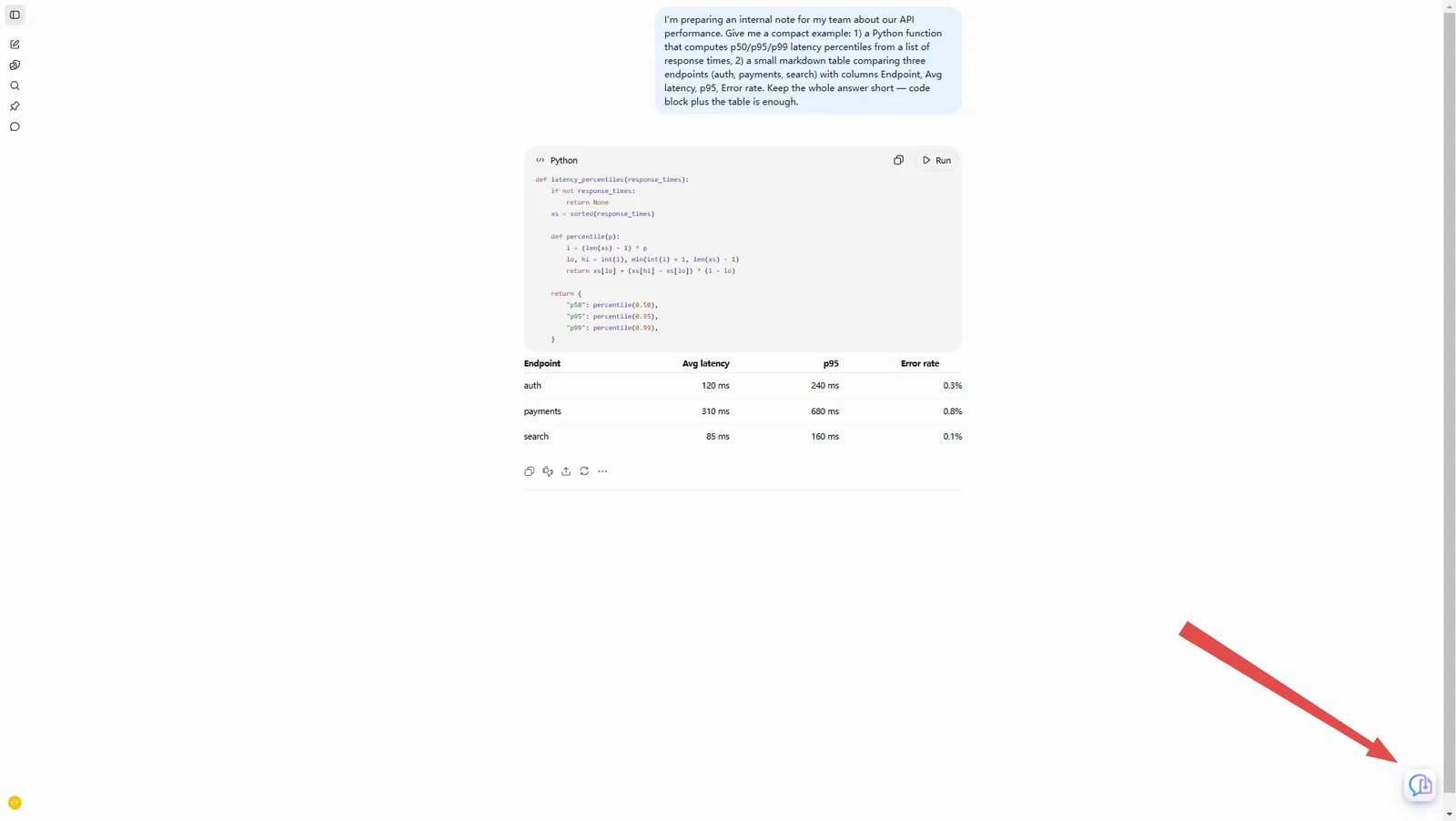
- Open the conversation on chatgpt.com. A floating button appears in the corner.
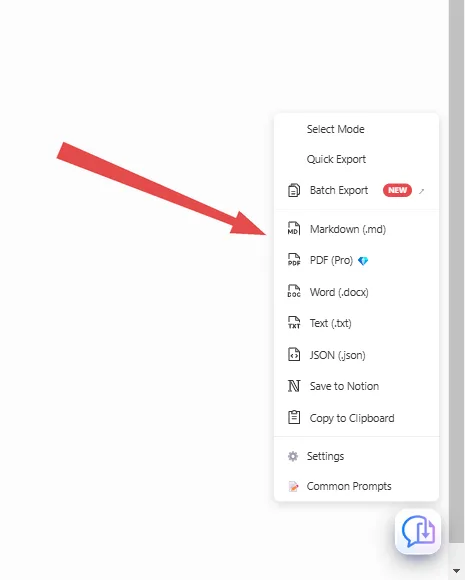
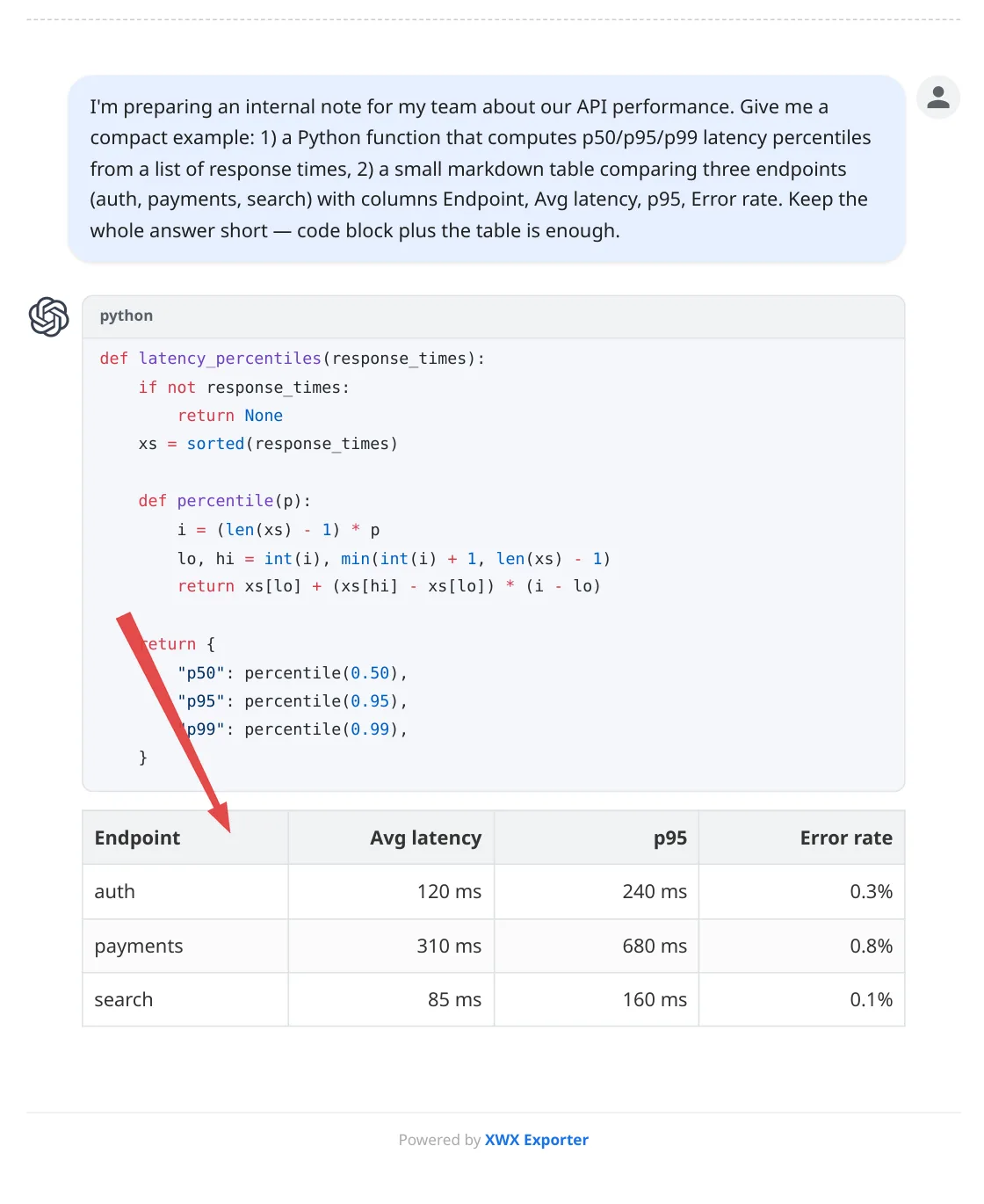
- Choose the format: a formatted PDF (code blocks, tables and math preserved), a Word .docx your colleague can edit, or Markdown for your knowledge base.
- Need only part of it? Toggle selection mode and tick the message pairs that matter, then export just that excerpt.
Method 2: archive the whole workspace history automatically
One-click saves are great for the chat in front of you — but the compliance-and-offboarding scenarios above need the whole history, refreshed regularly. That is what the desktop companion, XWX Backup, does:
- Install the desktop app and pair it with the browser extension — it communicates only over your own machine.
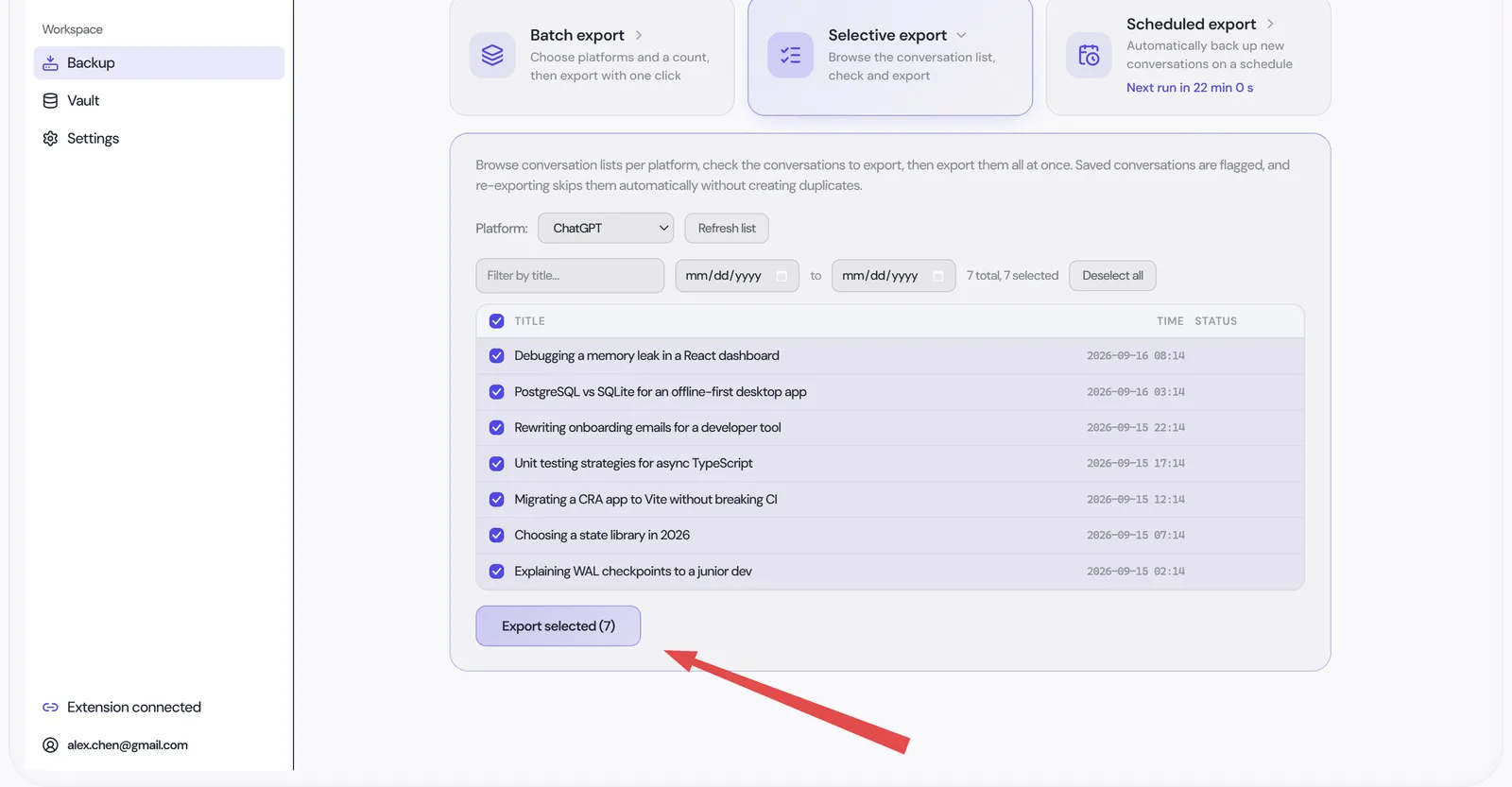
- The app lists your ChatGPT conversations (including multiple Google-login workspaces, via the account switcher) and fetches them in bulk.
- Every conversation lands as a clean Markdown file in a local folder — or a PDF/Word/JSON set, or a ZIP for transfer — with images stored alongside.
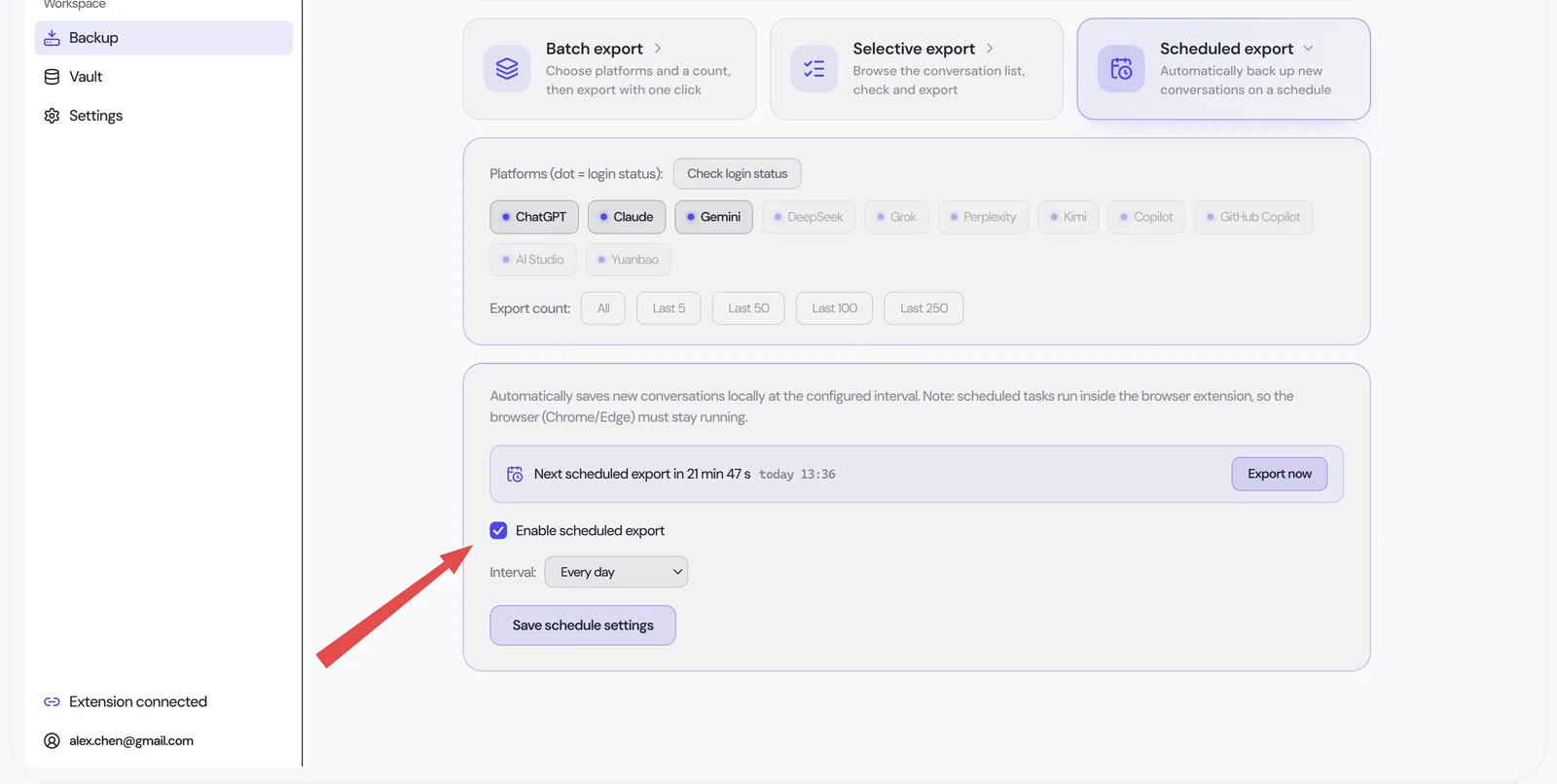
- Turn on scheduled sync: pick an interval from every 30 minutes to daily, and new or changed conversations are added to the archive automatically, deduplicated by content hash. Nothing is re-exported twice, and everything stays on your disk.
The result is the thing the missing official button was supposed to give you: a durable, readable archive of workspace conversations, that grows in the background and survives a locked account, a removed seat, or a vendor switch.
Make the archive findable, not just stored
A folder of 4,000 files is a landfill unless you can search it. XWX Backup indexes every archived conversation for full-text search (misspellings tolerated, hits highlighted), keeps star and tag metadata, and can sync the Markdown into an Obsidian vault so team knowledge behaves like a real second brain — backlinks, graph view, local-only. Each exported file carries its date, model and platform in YAML front matter, which is exactly the provenance detail an audit or a citation appreciates.
常见问题
Can ChatGPT Business or Enterprise users export their conversations?+
Not through OpenAI’s own settings. As of September 2026, the help center lists data export as unavailable for Business, Enterprise and Healthcare workspaces. Self-service options are page-level export tools — a browser extension for single chats, or a desktop app that archives accessible history in bulk — plus admin-side Compliance Platform logs for Enterprise.
Is exporting workspace chats allowed by OpenAI?+
The extension works the same way as anything else that reads a page you are already permitted to see while logged in. The open question is your organization’s own policy: exported chats can contain confidential client data and internal context. Check your AI-use policy before archiving, and treat the archive with the same care as email records.
Where does the bulk archive get stored?+
On your own machine. XWX Backup is local-first: conversations are written as Markdown (or PDF/Word/JSON) into a folder you choose, with an on-device search index. There is no company cloud — if your disk is the only copy, add a second one to your backup routine.
Does scheduled backup run even when ChatGPT is closed?+
The desktop app performs the sync, so it needs to be running (installed, not necessarily open on screen) at the scheduled time; missed windows are picked up on the next run rather than retried server-side. The extension itself works in Chrome, Edge and other Chromium browsers with no login to any service for basic exports.